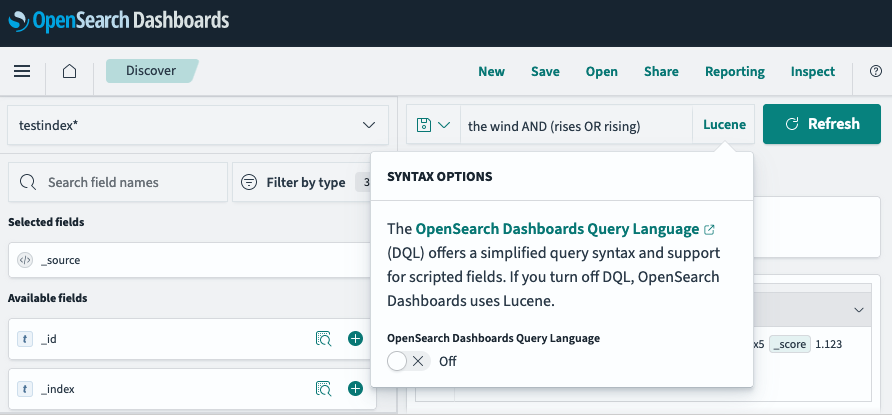
Search bar
In the search bar in the Discover and Dashboard apps, you can search data using either of two languages:
-
Dashboards Query Language (DQL): A basic query language with nested field queries.
-
Query string query language (Lucene): A query language based on the Apache Lucene query language. Query string query language and Lucene are used interchangeably in the documentation and UI. Query string query language is more flexible than DQL, but does not support nesting.
The following table compares DQL and query string query language features.
| Both DQL and query string query language | DQL | Query string query language |
|---|---|---|
- Wildcard expressions (DQL supports * only)- Ranges - Boolean operations | - Querying nested fields | - Regular expressions - Fuzziness - Proximity queries - Boosting |
For a detailed comparison, see DQL and query string query quick reference.
By default, the query language in the Discover search toolbar is DQL. To switch to query string syntax, select DQL and then turn off OpenSearch Dashboards Query Language. The query language changes to Lucene, as shown in the following image.