Prepare your data
Before you can explore, visualize, or dashboard your data in OpenSearch Dashboards, you need data in OpenSearch and an index pattern that points to it.
Step 1: Add data to OpenSearch
Choose one of the following options to add data to OpenSearch. We recommend getting started by adding sample data.
Add sample data
Sample datasets come with prebuilt index patterns, visualizations, and dashboards. The Sample flight data dataset is already installed in OpenSearch Playground.
If you’ve installed a local OpenSearch Dashboards instance, add one or more sample datasets by following these steps:
Classic navigation:
- On the OpenSearch Dashboards home page, select Add sample data.
- On the Add sample data page, select the Add data button in the Sample flight data tile and any others that you want to add.
Workspaces navigation:
- In the left navigation panel, expand Manage workspace and select Sample data.
- Select the Add data button in the Sample flight data tile and any others that you want to add.
The following image shows the available sample datasets.
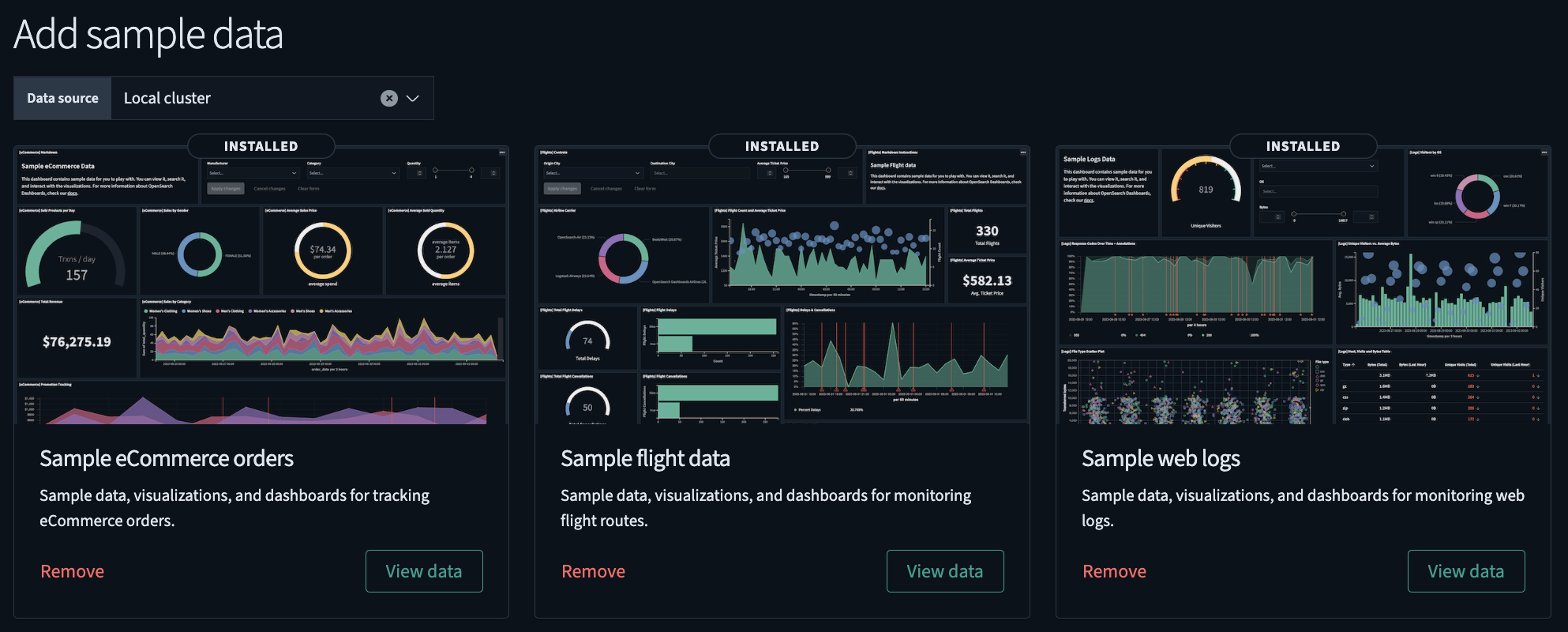
If you installed sample data, the index patterns are created automatically and you’re ready to explore the Discover application.
Ingest your own data
Load your data into OpenSearch using the Bulk API, Data Prepper, or other ingestion tools. See Ingesting data.
Step 2: Create an index pattern
An index pattern tells OpenSearch Dashboards which indexes to query. You need at least one index pattern before you can use Discover, Visualize, or Dashboards with your own data.
To create an index pattern, follow these steps:
- In the left navigation menu, go to Management > Index patterns.
- Select Create index pattern.
- Enter an index name or pattern (for example,
my-index-*to match multiple indexes). - Select Next step.
- If your index contains a timestamp field, select it from the Time field dropdown. For the examples in this section, select
timestamp. This enables time-based filtering in Discover and visualizations. - Select Create index pattern.
For more information, see Index patterns.
Further reading
- For more information about index patterns, see Index patterns.
- Connecting data sources.
Next steps
- Learn about each application in Learn about main applications and query languages.